
I don’t know about you, but I’m definitely not into coding all that much. I know just enough Python to write a short script, like one that generates a poem based on a lexicon.
As a humanities/linguistics person, I’ve never really had patience for extended periods of programming. After about five hours of dealing with code, my focus fades, and I yearn for some fresh air in the park.
I’ve worked with Java, C++, Perl, Prolog, HTML, XML etc. in the past, but none ever went beyond school/university assignments.
While I get bored of coding pretty fast, I still have ideas, side projects, and weird little experiments I’d love to build.
Vibe coding makes me feel like I was born at the perfect time, as it now gives me an ability to thrive on ideas without burning out from endless manual coding.
What Is Vibe Coding?
Vibe coding is a fairly new term whose birth we can confidently pinpoint to this tweet by Andrej Karpathy:
Ever since Karpathy coined this phrase, it’s been popping up all over my social media feeds (primarily Twitter/X), causing slight FOMO every time I see someone build something.
[By the way, if you’re on Twitter/X, I’d love to connect.]
It was also Karpathy who stated that“the hottest new programming language is English.”
That’s basically the essence of vibe coding: You tell the machine what you want, it gets to work, and you go microwave last night’s leftovers.
I think we’re experiencing a substantial paradigm shift. Programming isn’t what it used to be (writing boilerplate, googling syntax, manually debugging loops, etc.).
Coding tasks becoming obsolete (click to expand)
- Manually debugging simple errors
- Setting up file structures from scratch
- Looking up library documentation constantly
- Copy-pasting Stack Overflow answers
- Writing test cases by hand
- Refactoring variable names manually
- Commenting obvious code
- Rewriting functions for different languages
- Configuring basic build pipelines
- Writing getters and setters
- Typing repetitive API calls
- Remembering regex syntax
- Manually linting code
- Writing basic UI layout code
- Wrangling import statements
- Searching for best practices
- Translating pseudocode into real code
- Writing “glue code” to connect APIs
- Writing boilerplate code
- Memorizing syntax
If we were to put it in more elevated, conceptual terms:
Vibe coding isn’t just about “building software”. It’s about shaping intent into form without wrestling with the medium.
It lets you, at least to some degree, skip the laborious wrestle with details, and focus on your unique app features straightaway.
That’s invaluable for beginners, solo entrepreneurs, and idea people like myself (at the same time it’s also disrupting software dev industry, but let’s leave that topic for another time).
It’s more about seeing the purpose or the big picture, creating momentum, shipping/prototyping fast, all while using AI as your co-pilot (or more like a junior developer servant).
It makes the whole process intuition/flow-driven and thus completely a different kind of activity.
Still, if you’re not a software dev, there are important basics to consider/learn, like backend, security etc.
The below guide breaks down the essential steps for turning ideas into functional products using AI tools at every stage.
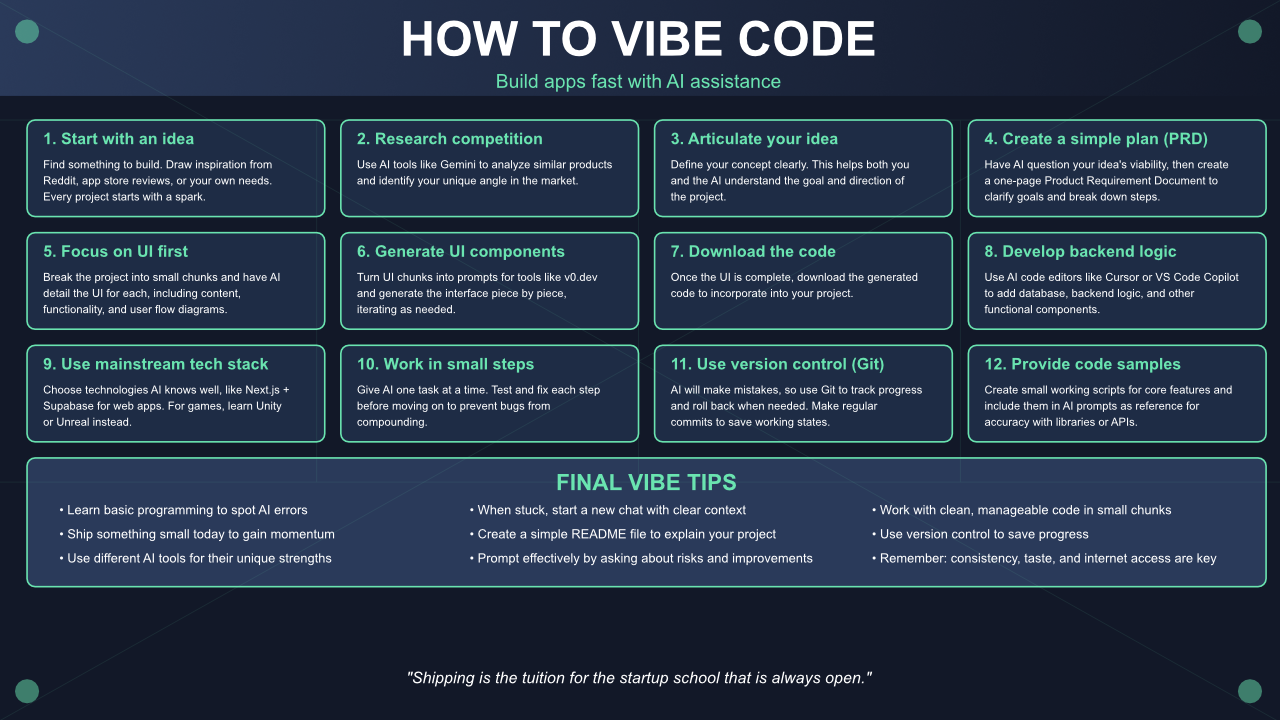
If you can imagine it, you can build it.
For this guide I’ve put together the best advice I’ve found, directly from people who build. These tips are especially valuable for those who have never coded or finished a final product.
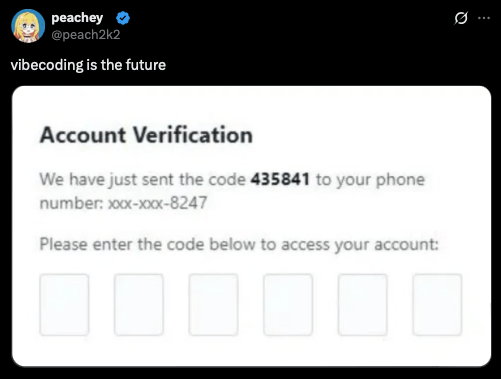
There are plenty of possible rookie mistakes you’ll want to avoid.
Exhibit A:
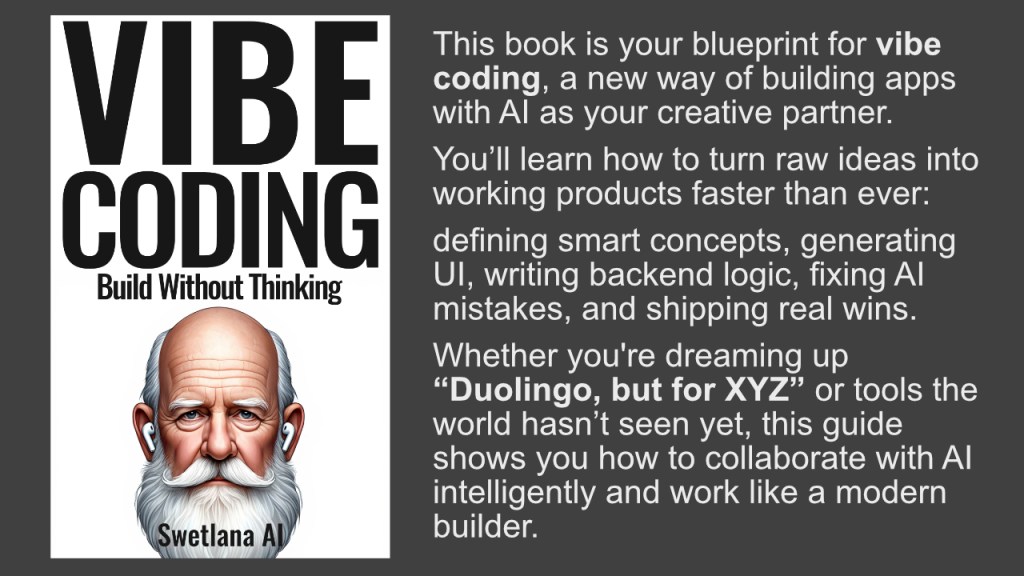
PS: If you need more info on this topic: I’ve just published the 2nd edition of my book “Vibe Coding: Build Without Thinking”, and you can get it on Amazon.
It contains all the info you need to successfully build any type of app, website, or platform.
The guide below is just a summary of what you’ll find in the book.
Ok, ready for the guide? Here it comes.
How To Properly Vibe Code
Here is an ultimate “how to” list for vibe coding:
- Start with an idea. You need something to build. If you need inspiration, you can look at places like Reddit or app store reviews.
- Understand your competition. Use AI tools like Gemini to research what others in the same space are doing to identify your angle.
- Clearly articulate your idea. Define the basics of your concept. This will help you and the AI understand the goal.
- Create a simple plan (PRD). Use AI like Claude to grill your idea with questions to see if it’s viable. If it holds up, have the AI write a basic one-page plan (Product Requirement Document). This forces you to clarify what you want and breaks the work into small, clear steps. Think of it like outlining what “done” looks like for each stage.
- Focus on the UI first (optional but suggested). Break down the project into small, shippable chunks and have AI (like Claude) detail the UI for each, including page content, functionality, and user flow diagrams.
- Generate UI components with AI tools. Turn the UI chunks into prompts for tools like v0.dev and generate the user interface piece by piece, tweaking prompts as needed.
- Download the generated code. Once the UI is complete, obtain the code.
- Develop the backend logic. Use AI code editors like Cursor or VS Code Copilot to add the database, backend logic, and other functional components.
- Adopt a mainstream tech stack. When building a web app, consider using Next.js + Supabase because they have large user bases, many online examples, and AI is more likely to handle them correctly. Add Python if your backend needs more complex logic. For game development, learn Unity or Unreal instead of trying to “vibe-code” in less suitable environments like JavaScript for complex games. Choosing a stack AI knows well can prevent wasted time on bugs.
- Work in small, manageable steps. Give the AI one step at a time, rather than asking it to “do everything at once”. Test and fix each step before moving on to the next to prevent bugs from compounding. Example prompts: “Implement Step 1.1: Add Feature A” (test and fix), then “Implement Step 2: Add Feature B”.
- Use version control (Git). AI will inevitably make mistakes, so you need a way to roll back your code. Manual commits help you track progress and know exactly where to revert if AI creates issues.
- Provide working code samples. Before building a full feature, create a small working script that performs the core functionality (e.g., fetching data from an API). Once it works, save it and include it in your AI prompts as a reference to ensure accuracy with third-party libraries or APIs. This can prevent wasting time on minor mismatches.
- Prompt effectively.
- Share your raw idea with the AI.
- Ask: “what’s unclear, risky, or missing?” to refine your understanding.
- Then: “make this resonate with [my audience/customer/community]” and provide data about them.
- Finally: “what would [0.01% top expert in my field] do here?” to get more advanced insights.
- When stuck, start a new chat. Avoid getting trapped in a “copy error → paste to chat → fix → new error → repeat” cycle. If you hit this loop, open a fresh chat and clearly state what’s broken, what you expected, and what you’ve already tried. Include relevant logs, errors, and screenshots. A clean context can often resolve issues that endless retries won’t. The longer a chat history gets, the less effective the AI might become.
- Learn the basics of programming. While AI can write code for you, understanding fundamental programming concepts is still important. This helps you spot when the AI is incorrect and keeps your projects on track. Vibe coding can even make learning easier by doing and acquiring real-world skills while shipping projects.
- Ship something small today. Focus on creating and releasing a minimal viable product to gain momentum. The rest will evolve from there. Remember, shipping is the tuition for the “startup school” that is always open.
- Don’t be afraid to leverage different AI tools for their strengths. For example, use Gemini for research and Claude for planning and UI/UX brainstorming. You can even string together different AI agents to handle various operations.
- Create a simple README file. Use AI like Claude to write a basic README that explains what you are building.
That’s it! I hope this guide will be useful to you. You can download the above poster graphic by clicking on the image.
Watch my Swetlana AI podcast episode on this topic:
 Swetlana AI